
Watermark
Goal. Stamp a semi-transparent logo in a corner of every published photo, and offer a faint all-over tile for proofs. Inputs: scene.png, phone.jpg, emblem.png. Needs: Hokusai 2.2.2.
// Prepare the mark once; apply it to many images.let mark = try Hokusai(url: URL(fileURLWithPath: "emblem.png")).resize(width: 120)
func watermarked(_ url: URL, width: Int) throws -> Hokusai {    try Hokusai(url: url).autoOrient().resize(width: width)        .composite([CompositeLayer(mark, placement: .gravity(.southEast, offsetX: 20, offsetY: 20), opacity: 0.7)])}
try await watermarked(URL(fileURLWithPath: "scene.png"), width: 800).jpeg(quality: 88)    .write(to: URL(fileURLWithPath: "wm-scene.jpg"))try await watermarked(URL(fileURLWithPath: "phone.jpg"), width: 500).jpeg(quality: 88)    .write(to: URL(fileURLWithPath: "wm-phone.jpg"))
// Variation: a diagonal tile across the whole image, very faint, for proofs.try await Hokusai(url: URL(fileURLWithPath: "scene.png")).resize(width: 800)    .composite([CompositeLayer(mark.resize(width: 80), placement: .tile(gravity: .center), opacity: 0.18)])    .jpeg(quality: 88).write(to: URL(fileURLWithPath: "wm-proof.jpg"))
wm-scene.jpgJPEG · 800 × 500 · 36 KB 
wm-phone.jpgJPEG · 500 × 312 · 19 KB 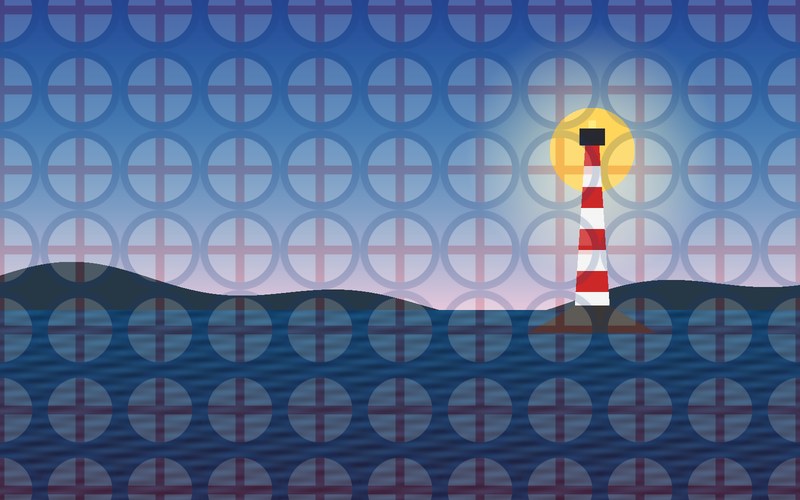
wm-proof.jpgJPEG · 800 × 500 · 73 KB
How it works
Section titled “How it works”- The mark is prepared once (
mark, resized to 120 px) and reused: a layer is just a pipeline, so it is evaluated per image without being re-encoded (composition). autoOrient()andresizecome beforecomposite, so the mark has the same size on every output and the placement is measured on the final image (order)..gravity(.southEast, offsetX: 20, offsetY: 20)keeps the mark 20 px from the corner regardless of the photo’s size;opacity: 0.7lets the photo show through.- JPEG output has no alpha, but the photos are opaque, so no
flattenis needed here. If the base can be transparent, flatten last (why).
Variations
Section titled “Variations”- A proof tile:
.tile(gravity: .center)withopacity: 0.18repeats a small mark over the whole image (the third result). - Scale the mark to the photo:
mark.resize(width: photoWidth / 8). - Text as the watermark: replace the layer with
Hokusai.text(…)(text). - A darkening corner for legibility: a second layer with
.multiplyunder the mark.