
Tone & color
These operations change colour and tone without moving pixels. All keep the alpha channel (except where noted) and run exactly where you write them in the pipeline.
let image = try Hokusai(url: URL(fileURLWithPath: "scene.png")).resize(width: 360)let dull = try image.linear(multiply: 0.45, add: 70)      // a low-contrast starting point (see Filters)
let variants: [(String, Hokusai)] = [    ("original", image),    ("grayscale", image.grayscale()),    ("tint", try image.tint(Color(red: 0.95, green: 0.55, blue: 0.1))),    ("dull", dull),    ("normalize", try dull.normalize()),    ("clahe", try dull.clahe(width: 48, height: 48, maxSlope: 2)),    ("gamma", try image.gamma(2.2)),    ("modulate", try image.modulate(brightness: 1.1, saturation: 0.4, hue: 40)),    ("negate", image.negate()),    ("threshold", try image.threshold(110)),]for (name, pipeline) in variants {    try await pipeline.webp(quality: 85).write(to: URL(fileURLWithPath: "\(name).webp"))}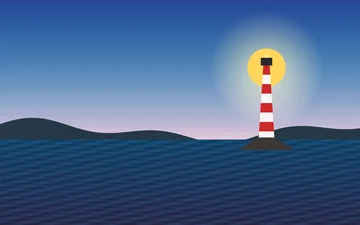
originalWEBP · 360 × 225 · 6 KB 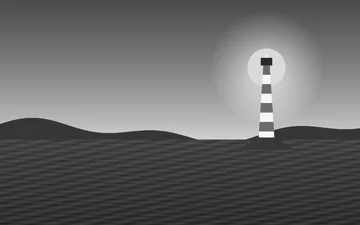
grayscale()WEBP · 360 × 225 · 4 KB 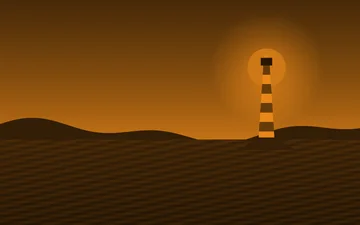
tint(orange)WEBP · 360 × 225 · 5 KB 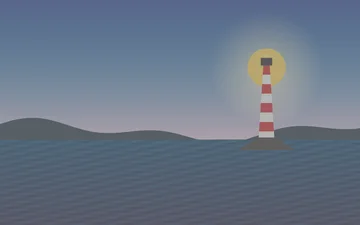
low contrast inputWEBP · 360 × 225 · 3 KB 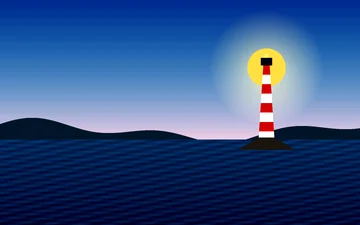
normalize()WEBP · 360 × 225 · 7 KB 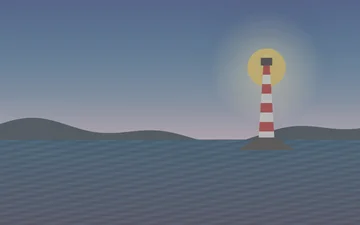
clahe()WEBP · 360 × 225 · 4 KB 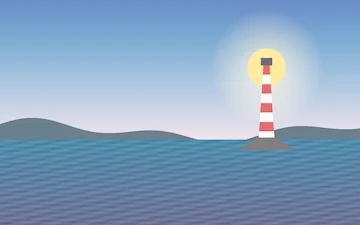
gamma(2.2)WEBP · 360 × 225 · 5 KB 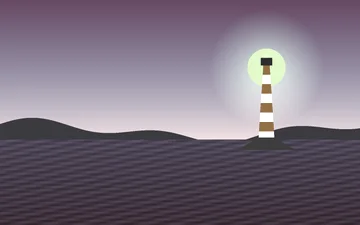
modulateWEBP · 360 × 225 · 5 KB 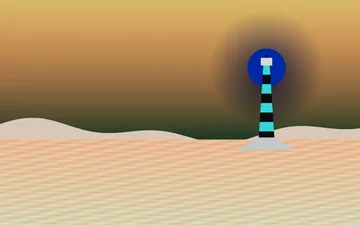
negate()WEBP · 360 × 225 · 6 KB 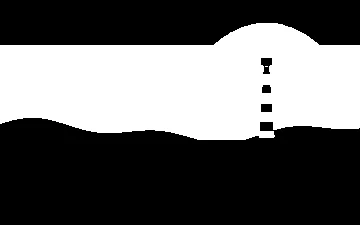
threshold(110)WEBP · 360 × 225 · 1 KB
Reference
Section titled “Reference”| Operation | Parameters (defaults, bounds) | What it does |
|---|---|---|
grayscale() |
none | Removes colour but keeps the RGB(A) layout; luminance from libvips’ sRGB conversion. |
tint(_ color:) |
Color |
Makes the image grayscale, then maps luminance onto the colour: white becomes the tint, black stays black. The colour’s own opacity is ignored. |
normalize(lower:upper:) |
1, 99 |
Clips the darkest lower percent and brightest 100 − upper percent, then stretches the rest to the full range with one linear map for every band, so hue is kept. A flat image is returned unchanged. 8- or 16-bit only. |
clahe(width:height:maxSlope:) |
8, 8, 3; maxSlope in 0…100 |
Local contrast enhancement on lightness (LAB); colour is kept. width/height are the tile size, maxSlope limits contrast gain per tile (0 disables the limit). 8- and 16-bit; float images throw unsupported. |
gamma(_ value:) |
2.2; 0.1…10 |
out = in ^ (1 / value) on the colour bands: above 1 brightens midtones. |
modulate(brightness:saturation:hue:) |
1, 1, 0; 0…100, 0…100, finite degrees |
Works in LCH: brightness scales lightness, saturation scales chroma, hue rotates. |
negate(alpha:) |
false |
Inverts colours; alpha is inverted only when alpha is true. |
threshold(_ level:grayscale:) |
128, true; 0…255 |
Pixels at or above level become white, the rest black. With grayscale the result is a single-channel mask; without it every band is thresholded separately. |
convert(to:) |
.sRGB or .grayscale |
Converts to an output colour space. |
normalize and clahe solve the same problem differently: normalize applies one global stretch, clahe adapts to each tile. On smooth gradients a small clahe tile can show a grid of steps, so use larger tiles and a low maxSlope for photographs of skies (the example above uses 48 px tiles and maxSlope: 2).
grayscale() versus convert(to: .grayscale)
Section titled “grayscale() versus convert(to: .grayscale)”let image = try Hokusai(url: URL(fileURLWithPath: "scene.png")).resize(width: 360)
// grayscale() keeps the RGB layout; convert(to: .grayscale) produces one colour channel.let looksGray = try await image.grayscale().png().data()let oneChannel = try await image.convert(to: .grayscale).png().data()
for (name, output) in [("grayscale-rgb", looksGray), ("grayscale-1ch", oneChannel)] { let channels = try await Hokusai(data: output.data).metadata().pixel.channels print(name, "→", channels, "channel(s),", output.data.count, "bytes") try output.data.write(to: URL(fileURLWithPath: "\(name).png"))}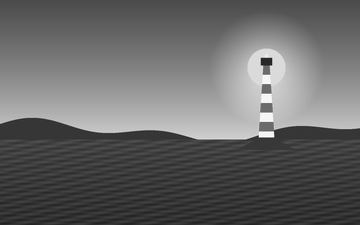
grayscale()PNG · 360 × 225 · 23 KB 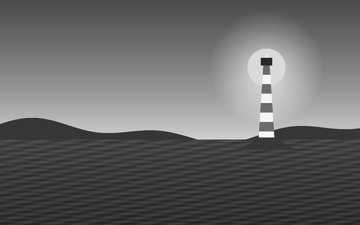
convert(to: .grayscale)PNG · 360 × 225 · 17 KB
Both look the same; they differ in layout. grayscale() keeps three channels, so later colour operations (tint, recombine) and RGB-only encoders behave as with any colour image. convert(to: .grayscale) produces one channel (plus alpha if present), which is smaller on disk (17 KB against 23 KB here) and is what masks and 8-bit grey outputs want.
Errors
Section titled “Errors”let image = try Hokusai(url: URL(fileURLWithPath: "scene.png")).resize(width: 200)
func attempt(_ name: String, _ build: () throws -> Hokusai) { do { _ = try build(); print(name, "→ accepted") } catch { print(name, "→ throws", error) }}
attempt("blur(sigma: 0)") { try image.blur(sigma: 0) }attempt("gamma(20)") { try image.gamma(20) }attempt("median(size: 200)") { try image.median(size: 200) }attempt("dilate(radius: 60)") { try image.dilate(radius: 60) }attempt("threshold(300)") { try image.threshold(300) }attempt("edges(.canny(sigma: 50))") { try image.edges(.canny(sigma: 50)) }| Call | Result |
|---|---|
gamma(20) |
invalidOption: “must be a finite value from 0.1 to 10” |
threshold(300) |
invalidOption: “must be in 0…255” |
modulate with brightness or saturation outside 0…100, or a non-finite hue |
invalidOption |
clahe with maxSlope outside 0…100 |
invalidOption |
clahe on a float image |
HokusaiError.unsupported |
normalize on an image that is not 8- or 16-bit |
not supported (the operation requires an 8- or 16-bit image) |
Related
Section titled “Related”- Filters (
linearandrecombinefor per-channel control) - Transparency