
PDF report
Goal. A one-page A4 report whose text stays selectable and searchable, with crops of a photo prepared by Hokusai. Inputs: scene.png. Needs: Hokusai 2.2.2 with the HokusaiPDF product and Pango 1.44+.
// A two-page report: raster images prepared by Hokusai, laid out as a vector document.let ink = Color(red: 0.1, green: 0.14, blue: 0.3)let source = try Hokusai(url: URL(fileURLWithPath: "scene.png"))
var page = try VectorPage(size: .a4())    .rectangle(VectorRect(x: 0, y: 0, width: 595.276, height: 90), fill: .color(ink))    .text("Field report", at: VectorPoint(x: 40, y: 28), style: VectorTextStyle(size: 30, weight: .bold, color: .white))for (index, position) in [ResizePosition.center, .east, .attention].enumerated() {    let photo = try source.resize(width: 480, height: 480, fit: .cover, position: position)    page = try page.image(photo, frame: VectorRect(x: 40 + Double(index) * 180, y: 120, width: 170, height: 170), fit: .cover)}page = try page.text(.markup("Three crops of the same <b>1600 × 1000</b> original: centre, east and attention."),                     at: VectorPoint(x: 40, y: 310), width: 515, style: VectorTextStyle(size: 12, lineSpacing: 1.3))
let info = try await VectorDocument(page, metadata: PDFDocumentMetadata(title: "Field report"))    .write(to: URL(fileURLWithPath: "field-report.pdf"))print("report →", info.pageCount, "page,", info.byteCount, "bytes")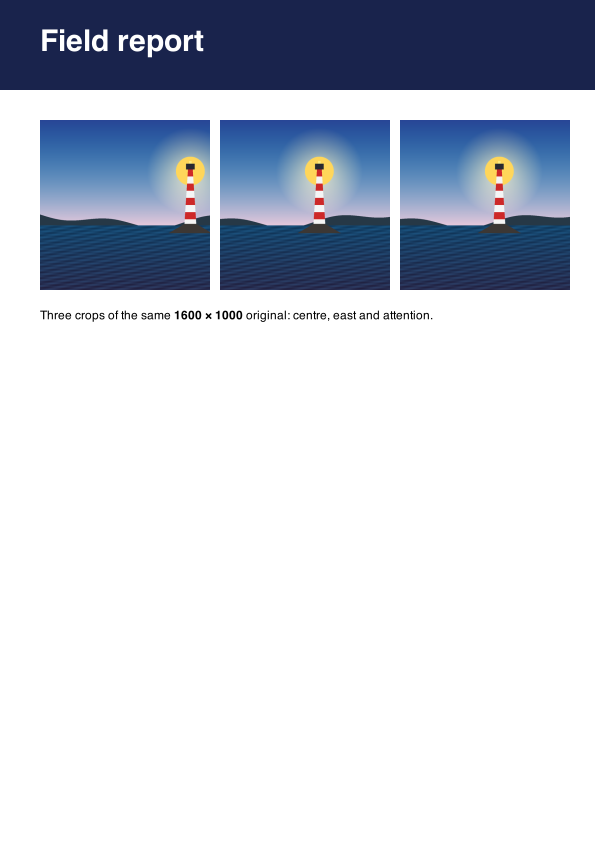
field-report.pdfPDF · 595 × 842 · 352 KB
How it works
Section titled “How it works”- Layout is vector (
HokusaiPDF): the header bar is a rectangle, the title and caption are real text (the caption uses Pango markup for the bold part). Select the title in a PDF viewer to confirm. - Images are Hokusai pipelines: three
resize(…, fit: .cover, position: …)crops of one source, embedded as rasters at the frame size. Pages are drawn one at a time, so memory is that of one page. - Coordinates are points from the top-left;
A4portrait is 595.276 × 841.89 pt. - The result: 1 page, 360,320 bytes.
Variations
Section titled “Variations”- A raster PDF of an image (a scan, a chart):
image.pdf(pageSize: .a4(), margins: .all(36), background: .white)(Raster PDF); the text is then pixels. - More pages:
VectorDocument(pages: [...]). - Reproducible output: set
PDFDocumentMetadata.creationDate, otherwise Cairo records the current time. - A gradient cover:
.background(.linearGradient(from:to:angle:))(Vector documents).