
Blur & sharpen
blur softens an image with a Gaussian filter, for backgrounds, privacy and smoothing. sharpen applies an unsharp mask to luminance to restore crispness lost when shrinking.
blur(sigma:precision:minAmplitude:); plain blur() is a mild blur with sigma: 1.
| Parameter | Type | Default | Notes |
|---|---|---|---|
sigma |
Double |
1 |
Blur radius in pixels; finite and above zero. |
precision |
BlurPrecision |
.integer |
.integer, .float, .approximate: trades accuracy for speed. |
minAmplitude |
Double |
0.2 |
Finite, above zero and at most 10; smaller gives a wider, more accurate mask. |
let image = try Hokusai(url: URL(fileURLWithPath: "scene.png")).resize(width: 480)
for sigma in [1.0, 4.0, 10.0] {    try await image.blur(sigma: sigma).webp(quality: 85)        .write(to: URL(fileURLWithPath: "sigma-\(Int(sigma)).webp"))}
// Pixels are weighted by alpha, so a transparent edge does not bleed colour into the blur.try await Hokusai(url: URL(fileURLWithPath: "emblem.png")).resize(width: 200)    .blur(sigma: 6).png().write(to: URL(fileURLWithPath: "emblem-blur.png"))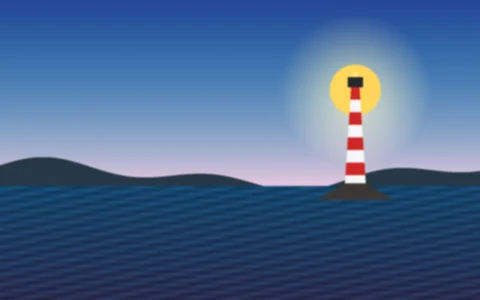
sigma 1WEBP · 480 × 300 · 7 KB 
sigma 4WEBP · 480 × 300 · 3 KB 
sigma 10WEBP · 480 × 300 · 2 KB 
with alphaPNG · 200 × 200 · 36 KB
Pixels are weighted by alpha, so transparent areas do not bleed colour into the blur: the emblem’s edges soften without a dark fringe. Larger sigma costs more time and memory per pixel.
sharpen
Section titled “sharpen”sharpen(sigma:) is the short form (sigma defaults to 1). sharpen(_ options: SharpenOptions) exposes the unsharp-mask controls. Alpha is untouched.
SharpenOptions |
Default | Meaning |
|---|---|---|
sigma |
1 |
Radius of the Gaussian used to find detail, in pixels; above zero. |
flat |
0 |
Strength applied to flat areas. |
jagged |
3 |
Strength applied to steep edges. |
threshold |
2 |
Difference that separates flat areas from jagged edges. |
maxBrightening |
10 |
The most a pixel may brighten. |
maxDarkening |
20 |
The most a pixel may darken. |
flat, jagged, threshold, maxBrightening and maxDarkening are finite values from 0 to 1,000,000; the defaults are libvips’ own.
// Shrinking softens an image; sharpen after resizing, not before.let small = try Hokusai(url: URL(fileURLWithPath: "scene.png"))    .resize(width: 640)    .extract(x: 380, y: 60, width: 220, height: 220)       // look at the lighthouse close up
try await small.png().write(to: URL(fileURLWithPath: "none.png"))try await small.sharpen().png().write(to: URL(fileURLWithPath: "default.png"))try await small.sharpen(sigma: 2).png().write(to: URL(fileURLWithPath: "sigma-2.png"))try await small.sharpen(SharpenOptions(sigma: 1.5, flat: 1, jagged: 6)).png()    .write(to: URL(fileURLWithPath: "custom.png"))
nonePNG · 220 × 220 · 41 KB 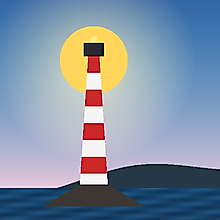
sharpen()PNG · 220 × 220 · 41 KB 
sigma 2PNG · 220 × 220 · 45 KB 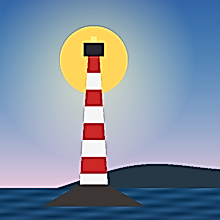
flat 1, jagged 6PNG · 220 × 220 · 52 KB
Order and combinations
Section titled “Order and combinations”- Sharpen after resizing, not before. Shrinking softens an image, and sharpening a full-size image just before a large reduction is partly thrown away by the resize. See Order of operations.
- Blur before a large reduction is wasted work as well: reduce first, then blur at the final scale.
blurandsharpendo not change the image size;sharpenleaves alpha untouched, andblurweights pixels by alpha.
Errors
Section titled “Errors”blur(sigma: 0) throws HokusaiError.invalidOption (“must be a finite value above zero”), as do a non-finite sigma, a minAmplitude outside (0, 10], and out-of-range SharpenOptions. All are thrown when the pipeline is built.