
Vector documents
HokusaiPDF is a separate product for vector PDF documents. Unlike the raster pdf() encoder, it draws text, shapes and gradients as PDF content: text stays selectable and searchable, shapes stay sharp at any zoom, and images placed on a page are embedded as rasters prepared by ordinary Hokusai pipelines. It needs Pango 1.44 or newer; the Hokusai product does not.
// Package.swift: add the product to the target that makes PDFs.product(name: "HokusaiPDF", package: "hokusai")The model
Section titled “The model”A VectorPage is an immutable value: every method returns a new page with one more item drawn on top of the earlier ones. Nothing is rendered until a VectorDocument is written, and invalid values are rejected when the item is added.
| Piece | API |
|---|---|
| Page | VectorPage(size:) with .a4(_), .letter(_) (portrait by default) or .points(width:height:) (1…14,400). Origin is the top-left, units are points (1/72 inch). |
| Background | .background(_ paint: VectorPaint): .color(Color) or .linearGradient(from:to:angle:). |
| Rectangle | .rectangle(_ frame:fill:stroke:cornerRadius:); needs a fill, a stroke or both. |
| Line | .line(from:to:stroke:) with VectorStroke(color:width:) (width 0…1000, above zero). |
| Image | .image(_ pipeline:frame:fit:opacity:); fit is .contain, .cover or .fill. |
| Text | .text(_ content:at:width:style:); TextContent plain or Pango markup. |
| Style | VectorTextStyle(family:size:weight:italic:color:alignment:wrap:lineSpacing:); weights .thin to .black; alignment .leading, .center, .trailing, .justified; wrap .word, .character, .wordThenCharacter. |
| Document | VectorDocument(pages:metadata:) or VectorDocument(_ page:metadata:); data() and write(to:). |
let navy = Color(red: 0.1, green: 0.14, blue: 0.3)let teal = Color(red: 0.15, green: 0.5, blue: 0.55)let photo = try Hokusai(url: URL(fileURLWithPath: "scene.png"))
let cover = try VectorPage(size: .a4())    .background(.linearGradient(from: navy, to: teal))    .image(photo, frame: VectorRect(x: 40, y: 40, width: 515, height: 322), fit: .cover)    .text("Pharos Point", at: VectorPoint(x: 40, y: 390), width: 515,          style: VectorTextStyle(family: "sans", size: 34, weight: .bold, color: .white))    .text("Selectable, searchable text on a vector page.", at: VectorPoint(x: 40, y: 440), width: 515,          style: VectorTextStyle(size: 14, color: Color(red: 0.85, green: 0.9, blue: 0.95)))
let summary = try VectorPage(size: .a4())    .rectangle(VectorRect(x: 40, y: 40, width: 515, height: 60), fill: .color(navy), cornerRadius: 8)    .text("Summary", at: VectorPoint(x: 56, y: 58), style: VectorTextStyle(size: 22, weight: .bold, color: .white))    .line(from: VectorPoint(x: 40, y: 130), to: VectorPoint(x: 555, y: 130), stroke: VectorStroke(color: teal, width: 2))    .text(.markup("The light is visible for <b>24 nautical miles</b> and flashes every <span foreground=\"#267f8c\">ten seconds</span>."),          at: VectorPoint(x: 40, y: 150), width: 515, style: VectorTextStyle(size: 13, lineSpacing: 1.3))
let document = VectorDocument(pages: [cover, summary],                              metadata: PDFDocumentMetadata(title: "Pharos Point", author: "Docs"))let info = try await document.write(to: URL(fileURLWithPath: "report.pdf"))print("vector document →", info.pageCount, "pages,", info.byteCount, "bytes")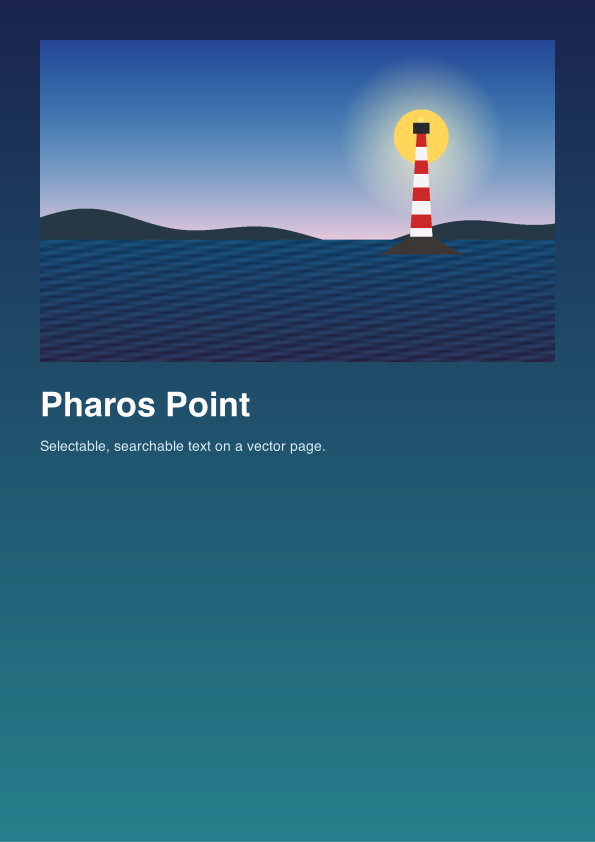
page 1 of 2PDF · 595 × 842 · 335 KB
The second page (a rounded navy header, a rule and a markup paragraph) is in the same PDF; only the first page is shown as a preview. The document wrote 2 pages in 343,455 bytes. Select the title in any PDF viewer to confirm it is text.
Memory, files and cancellation
Section titled “Memory, files and cancellation”Writing draws pages one at a time: the images of a page are evaluated just before it is drawn and released after it, so memory holds the rasters of one page, not of all. write(to:) has Cairo write to a temporary file next to the destination, which replaces the destination atomically only when the document is complete; a failure or cancellation leaves an existing file as it was. The drawing and file output run off Swift’s cooperative executor, and cancelling the calling task stops the work with CancellationError. Parent directories are not created.
Errors
Section titled “Errors”func attempt(_ name: String, _ run: () async throws -> String) async { do { print(name, "→", try await run()) } catch { print(name, "→ throws", error) }}let photo = try Hokusai(url: URL(fileURLWithPath: "scene.png")).resize(width: 400)
await attempt("custom size 20000 pt") { _ = try VectorPage(size: .points(width: 20000, height: 100)); return "accepted" }await attempt("empty rectangle") { _ = try VectorPage().rectangle(VectorRect(x: 0, y: 0, width: 0, height: 10), fill: .color(.white)); return "accepted" }await attempt("rectangle without fill or stroke") { _ = try VectorPage().rectangle(VectorRect(x: 0, y: 0, width: 10, height: 10)); return "accepted" }await attempt("document without pages") { _ = try await VectorDocument(pages: []).data(); return "written" }await attempt("invalid markup") { let page = try VectorPage().text(.markup("<b>unclosed"), at: VectorPoint(x: 10, y: 10)) _ = try await VectorDocument(page).data(); return "written"}await attempt("raster pdf, dpi 0") { _ = try photo.pdf(pageSize: .image(dpi: 0)); return "accepted" }| Situation | Result |
|---|---|
Custom page size outside 1…14,400 points |
invalidOption(name: "page width", …"from 1 to 14400 points"), when the page is created |
| A rectangle without area | invalidOption(name: "rectangle", …), when added |
| A rectangle with neither fill nor stroke | invalidOption: “give a fill, a stroke, or both” |
| Invalid Pango markup | invalidOption(name: "text", …"the Pango markup is not valid"), when the text is added |
| A document without pages | invalidInput: “a document needs at least one page” |
| An image pipeline that fails | that pipeline’s error from data() / write(to:) |
| Cairo cannot produce the PDF | encode |